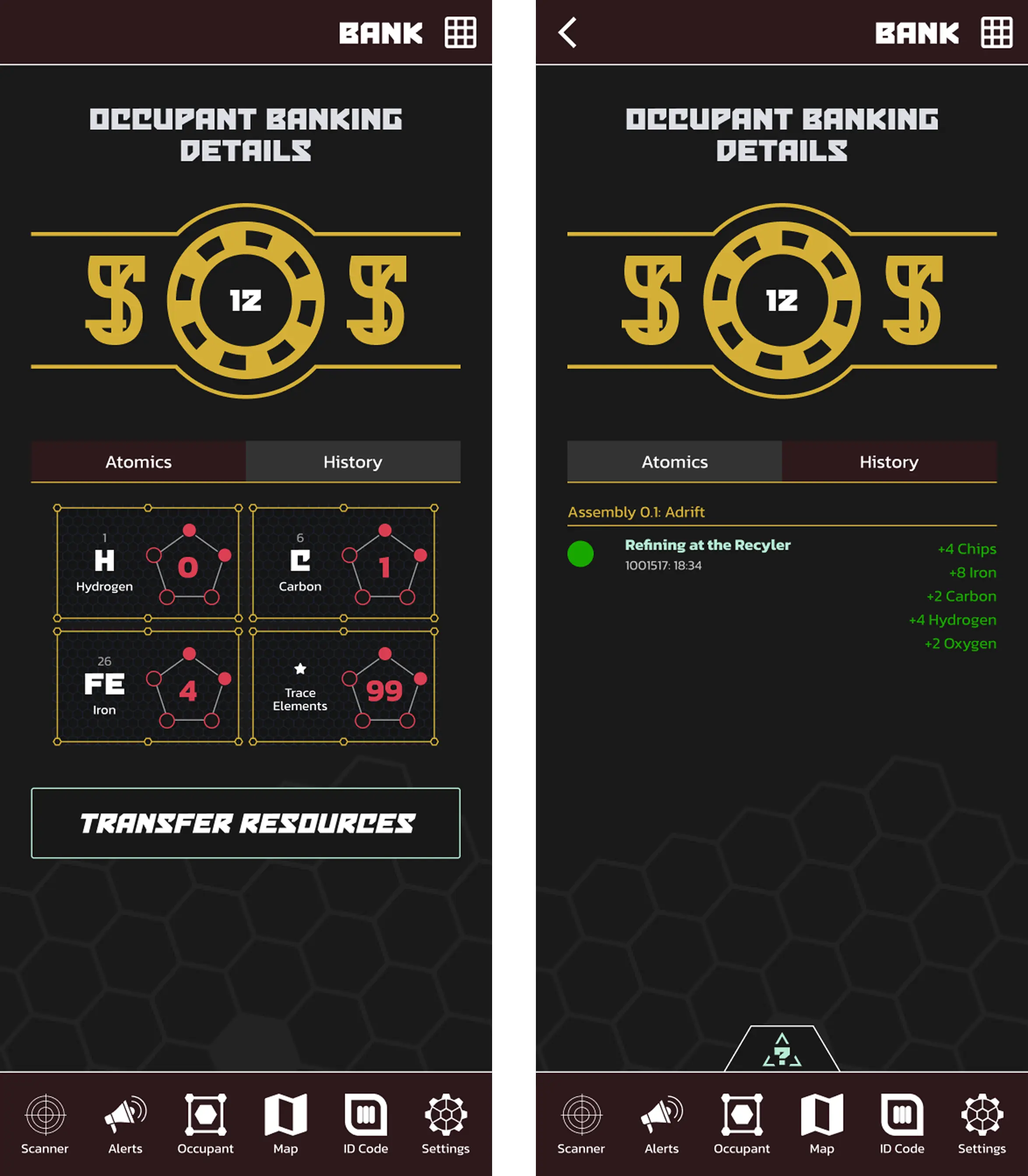
The bank provides you with an overview of all materials you have collected over the course of game play. At this time, it only contains chips, Atomics and Fragments, but it will be expanded to include items as well!
Within the Atomics tab, you can see all of the individual atomics you’ve collected. Circling the number of Atomics are 5 dots that represent how many “Fragments”, or pieces of a single Atomic you have. Those are explained more in Crafting. Each filled in dot represents a single ‘Fragment’. Once all dots have been filled in, you will have acquired another full Atomic, and the dots will become hollow again.
The history tab shows you the individual deposits/withdrawals made during each Assembly. Keep in mind - some deposits/withdrawals will be automatic based on in-game actions you take.
The benefits of having your belongings in the bank are:
- Ease of review: you don’t need to count your coins, as it were
- Withdrawal from the bank directly during crafting - You don’t need to keep track of every item while doing your roleplay. It’ll be withdrawn from your account when you collect your items from the CAO
- Don’t ever worry about losing, damaging, or destroying props. If you physically lose your Chips between games, they’re gone and the game will not reimburse you. If they’re in the bank, that can’t happen! Same for item tags when that is available.
To withdraw chips from the bank, please visit the Captain’s Assistant’s Office to make your request.
Sometimes, it’s easier for one person to Recycle all of the materials you gather either in Ag-Sec or on an Away Mission. In order to facilitate disseminating your gains, you can transfer resources between Occupants using this feature within the bank.
The first step is to select your recipient. If you’ve recently transferred resources to someone, their name will appear in a list at the top, but if you’re transferring to someone new, you’ll need to scan their Occupant ID.
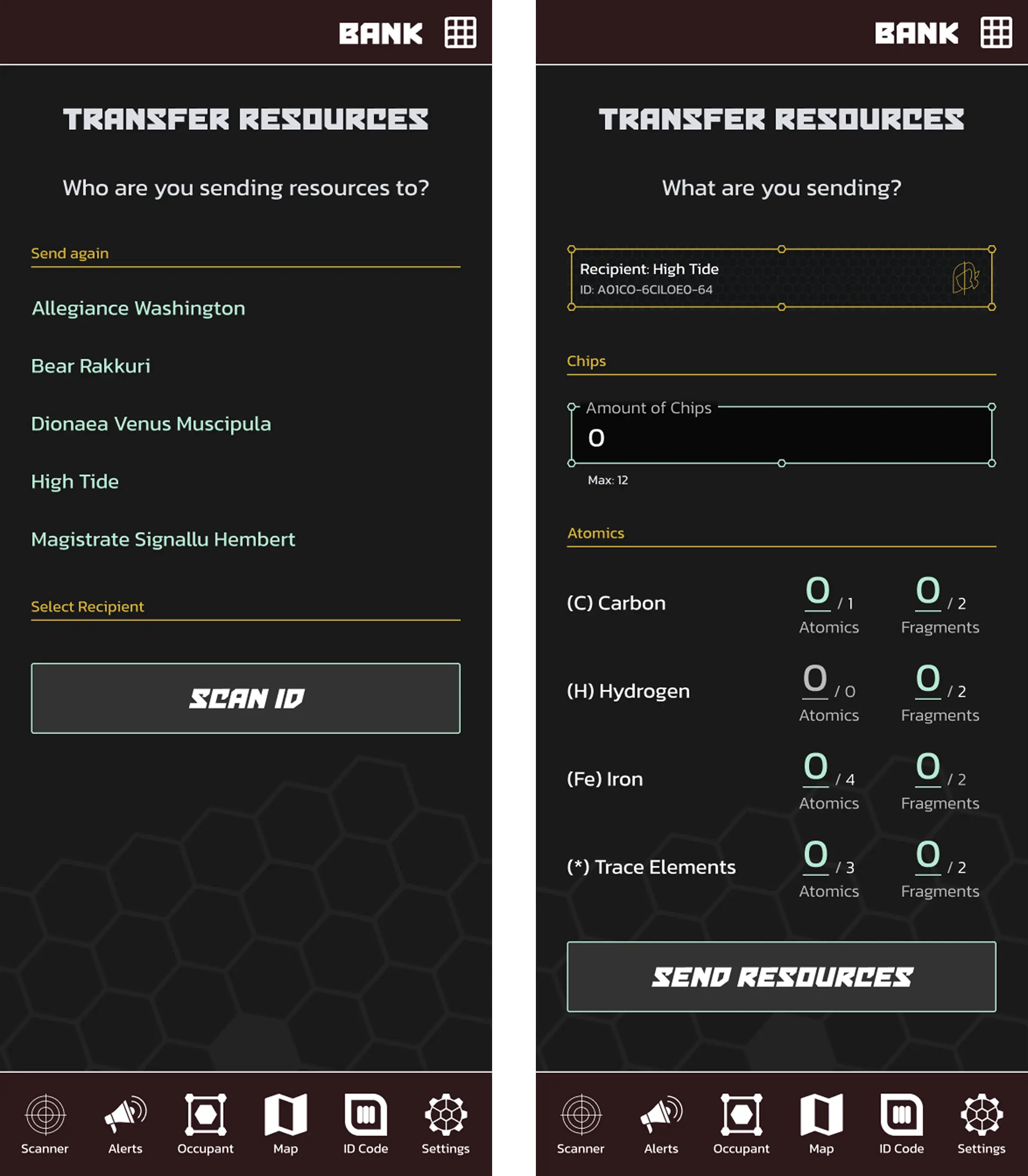
After you’ve chosen your recipient, you’ll need to select the individual resources you’re sending. As of now, you can only send them Chips, Atomics, and Fragments.
The system will only allow you to send the resources you have. The smaller numbers show you how many you have.
Once you’re ready to send the resources, press the “Send Resources” button.
IMPORTANT: This action can not be un-done. Make sure you’re sending resources to the correct person because they will not be required to send the resources back to you if there’s an issue or mistake.