In Command, there is a terminal you can sit down at and use to see the Frontiers that are within close proximity to our ship. These are all locations you could potentially rent a Shuttle to go explore. We encourage everyone to spend a little time at the terminal so they can see what's out there!
When you view the terminal, you'll see something like this:
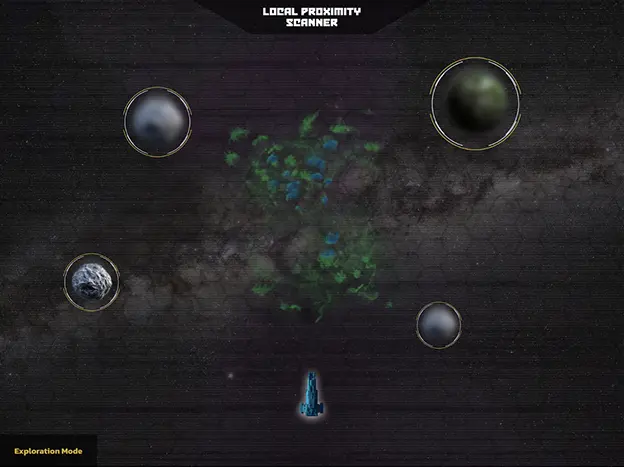
"Exploration Mode" means that you're simply examining the local area. When you book the Shuttle for an Away Mission, you'll have additional options.
What are we looking at? Well around the ship, there are sensors that show the local Frontiers and how close they are to the ship. Some of them are blurry! This is because we haven't scanned them yet and we have basically no information about them other than generally how big they are and approximately what they look like. The not-blurry Frontier is one that we've sent deployed a scanner probe to investigate.
While in Exploration Mode, you can tap on any of the Frontiers to look at it more closely. If you were to tap on the Frontier we've explored a little, you'd see the following:
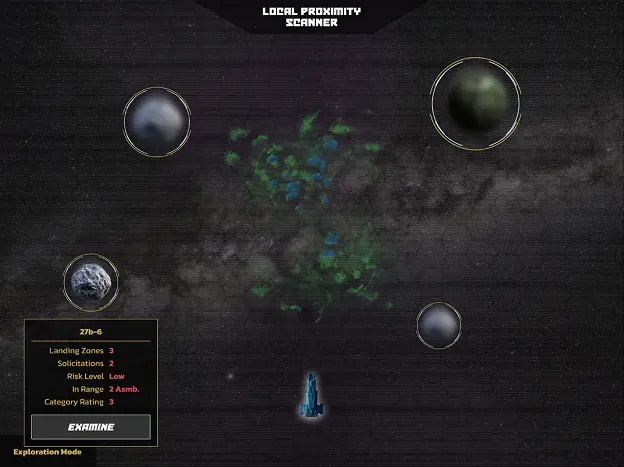
You'll get to see the same types of information a lot and these are very important:
- Landing Zones - How many different places can you book a shuttle to? When you book a shuttle, you pick not just the Frontier, but where on the Frontier you're going to land. More information here.
- Solicitations - Are there any Solicitations active in the system right now connected to this Frontier?
- Risk Level - How likely are you to die on this mission?
- In-Range - We will be within range of this Frontier for only a few Assemblies. If all players don't explore it this Assembly, there's still next Assembly!
- Category Rating - How dangerous is this zone and will you need specific equipment to be safe and/or breathe when you're there?
Every Frontier has this information available to you (once it has been scanned for the first time). If you press "Examine", you'll get even more information:
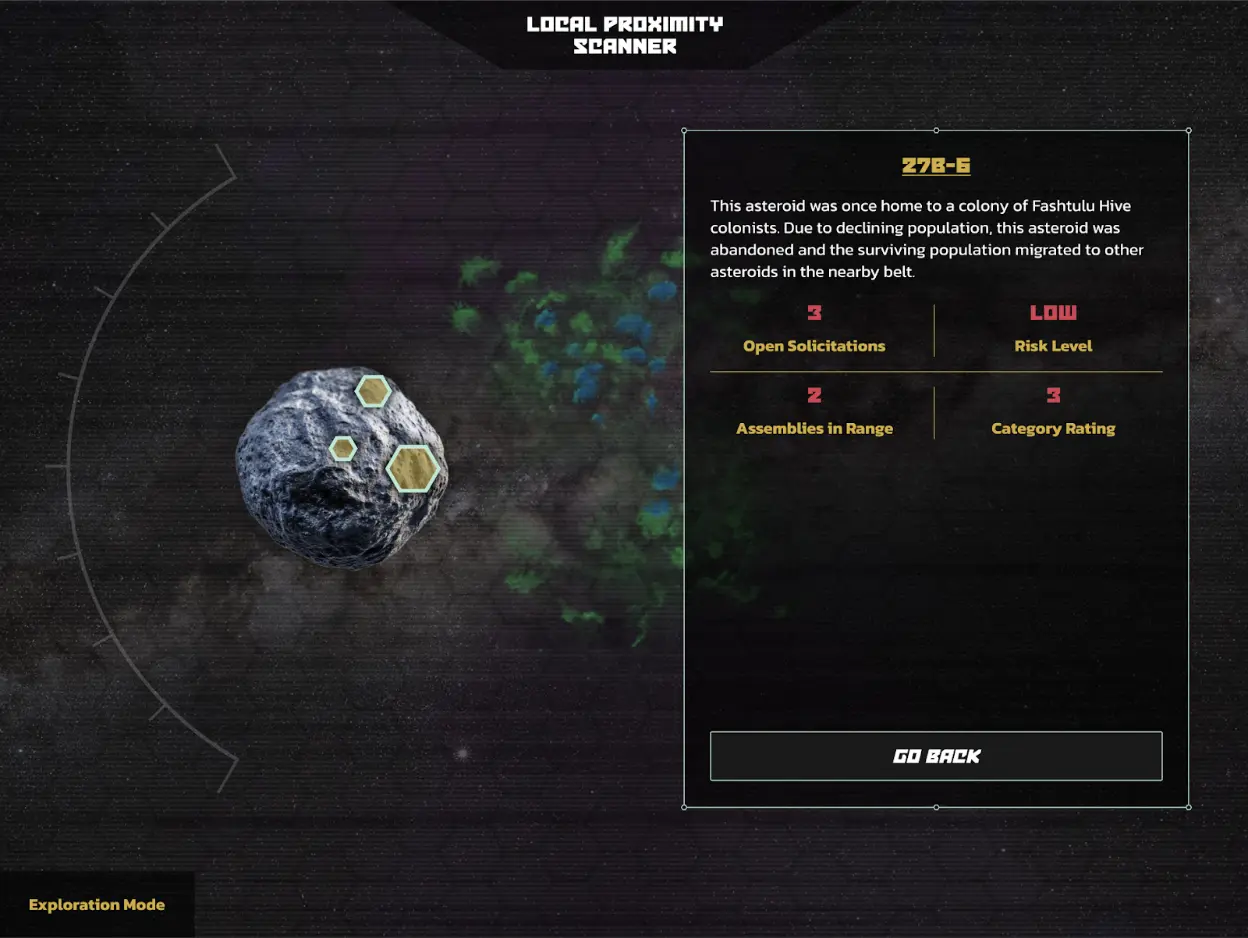
Now you can see a bit of a description of the Frontier along with the Landing Zones that have been discovered already by others who have either been to the Frontier, or sent a Proximity Probe to scan it.
Selecting one of the golden hexes visible on the left side, you'll see much more detailed information about that Landing Zone:
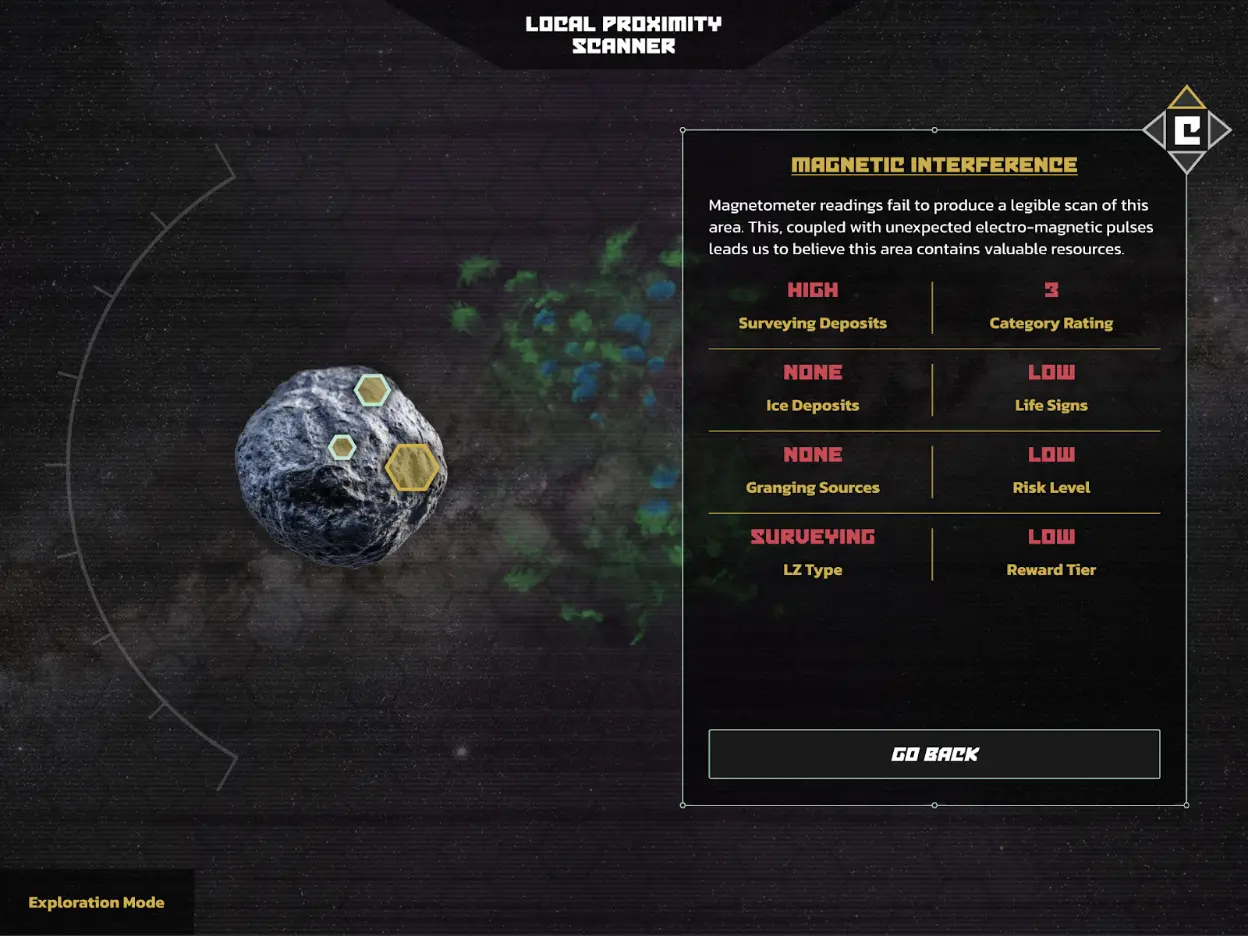
All Landing Zones give you an overview of what you might find when doing an Away Mission there. The idea is that you know the type of things you want to do or encounter while away from the ship and these let you choose your own adventure. Each LZ contains the following info:
- Quality Level - This ranges from Common, Uncommon, Rare, and Imperial and generally provides the 'value' of an LZ. Remember: Higher risk, Higher reward!
- Surveying Deposits - These are mineral deposits where you'd get metallic Atomics
- Ice Deposits - Water is crucial for survival in space. From it, we get fuel, air, and foundational Atomics
- Granging Deposits - Plant or Fungal life that can be gathered for resources
- LZ Type - A descriptive explanation of what you'll find and do there.
- Category Rating - How dangerous the environment is. This also tells you what kind of survival equipment you'll need to bring
- Life Signs - Are there any signs of life?
- Risk Level - What is the overall assessment of the danger of this LZ?
- Reward Tier - The likely amount of return you'll get. Note: 'Low' still will earn you more than you spend for your flight tickets and is not an inconsiderable amount.
It is critical that you become familiar with the Local Proximity Scanner if you want to participate in Away Missions, or if you want to know what's going on around the ship.
A helpful hint: Not all locations available during an Assembly are visible right away and not all locations are visible to every player. Sometimes, you will unlock areas to visit that are tied directly to plot lines.